
AI-generated images are everywhere today. You see them on social media, in news, and in magazines. The tech has grown a lot from the early days of Google Deep Dream and DALL-E.
This article aims to end debates about art. We focus on the technical skills and results of AI.
We want to give you a clear view of the top platforms. This will help you understand what’s real. For more details, check out our in-depth look at image generators.
The Evolution of AI-Generated Art
In 2015, Google Deep Dream showed us the first surreal AI images. It made patterns in photos look hypnotic and trippy. But, it was more of a tech wonder than a useful tool for artists.
Then, in January 2021, OpenAI’s DALL-E changed everything. It could make new images from just text. This was a big leap forward, showing how AI could understand complex ideas. It sparked a global interest in AI art.
After DALL-E, the pace of progress was fast. Companies and open-source groups competed fiercely. Models like DALL-E 3, Midjourney, and Stable Diffusion kept getting better.
Today, AI art is not just interesting but also very good. What started as a research project is now a set of powerful tools. This fast growth brings us to the current scene of advanced, competing platforms.
Defining “Best”: Key Factors for Comparison
Finding the best AI art tool depends on several key factors. What works for a hobbyist might not be enough for a professional studio. We need to look beyond just the brand names and focus on what each tool can do.
We will compare tools based on four main areas. These are the quality of the images, how easy it is to use, how much control you have, and the cost. Each of these factors is important for different users.
Image Quality, Style and Fidelity
At its core, an image generator must create stunning visuals. AI art quality is about the image’s resolution, detail, and how well it looks. The best tools should produce clear, detailed images without any blurriness or unnatural textures.
It’s also important for the tool to offer a range of styles. A top tool should be able to create photorealistic images, different painting styles, and even conceptual art. It should avoid the “uncanny valley” where images seem almost but not quite right.
Fidelity is about how well the tool understands what you want. This is where technical skill meets artistic vision. Being consistent in things like anatomy, lighting, and perspective is what sets professional images apart from amateur ones.
Ease of Use and Accessibility
Technology is useless if it’s hard to use. The first thing to look at is the interface. Is it simple, like a web chat, or complex, like a desktop app? The ease of learning varies a lot.
Another key part is prompt adherence. This means how well the AI understands your text description. If it gets it right the first time, you’ll save a lot of time.
Cost and entry points are also important. Some tools offer free trials or basic versions for free. Others require you to pay right away. You also need to consider if you need special hardware, like a powerful GPU, to use the tool well.
Control and Customisation
For those who want to guide the creative process, advanced features are essential. Basic tools just have a text box and a “generate” button. But the best tools offer a full range of options.
Some key features include:
- Inpainting: Erasing and regenerating specific parts of an image.
- Outpainting: Expanding the canvas beyond the original borders.
- Style Presets: Applying consistent artistic filters like “cinematic” or “watercolour”.
- Seed Control: Using a numeric seed to reproduce or vary a specific result.
Open-source models give you the most control, letting you tweak the underlying code. Integrated apps, on the other hand, offer these features in a more user-friendly way.
Speed, Cost and Licensing
The speed and cost of use affect your workflow and budget. Generation speed can vary a lot, from almost instant to several minutes per image. This is often tied to how much you pay or how many credits you have.
AI image generator pricing varies a lot. You might find:
| Model Type | Common Pricing | Typical User |
|---|---|---|
| Monthly Subscription | Fixed monthly fee for unlimited or capped generations | Frequent users, professionals |
| Credit Packs | Pay-as-you-go for a set number of images | Occasional users, testers |
| Freemium Tier | Limited free access, paid plans for more features | Beginners, hobbyists |
Licensing is also very important. Most tools let you use the images for commercial purposes, but the terms vary. Some tools make your images public, while others keep them private. Always check the licence agreement before using images in commercial projects.
By understanding these four key areas—quality, usability, control, and cost—you can make a better choice. The next sections will apply this framework to the top AI art tools on the market.
OpenAI’s DALL-E 3: The Integrated Contender
OpenAI’s DALL-E 3 stands out in the AI art world. It’s not just about its skills but also where it lives: inside ChatGPT. This makes it easy to use and very smart in conversations.
Overview
DALL-E 3 is OpenAI’s latest image-making model. It works differently from many others. Instead of using a diffusion process, it predicts what comes next based on what’s already there. This is linked closely with ChatGPT.
Getting started is easy. You can use it through a ChatGPT Plus subscription or its API for developers. This makes DALL-E 3 more than just an art tool. It’s a powerful visual part of a chat AI assistant.
Key Features and Strengths
DALL-E 3 is great at understanding what you ask for. It can handle detailed instructions and even numbers. For example, you can ask it to add more cats or make a sunset more dramatic.
This smart understanding lets you edit images easily. You can give feedback in the chat to make changes. This makes designing a smooth, talk-like process.
The API integration is a major strength for work. It lets businesses use DALL-E 3 with tools like Zapier. This creates marketing materials or product ideas from data automatically.
It can create many styles, from digital art to realistic scenes. But, its photos of people might look a bit soft or “waxy” compared to other tools.
Pros and Cons
A fair DALL-E 3 review points out its good points and limits.
- Pros:
- Best-in-class prompt understanding: It gets complex descriptions right.
- Seamless ChatGPT integration: It’s very easy to use with a chat interface.
- Strong in-context editing: You can easily change images with chat commands.
- Commercial usage rights: You can use the images you make for business.
- Cons:
- Slow generation times: It can take longer than some rivals, mainly for many images.
- Poor text rendering: It often makes text in images look wrong, like gibberish.
- Subscription cost: You need a paid ChatGPT Plus plan for unlimited use.
- Less granular control: It has fewer detailed artistic options than some open-source tools.
Ideal User Profile
DALL-E 3 is perfect for those who focus on getting ideas done, not on detailed art control. It’s great for content creators, bloggers, and marketers who need fast, good illustrations that match their ideas.
It’s also good for businesses and people already using ChatGPT for other tasks. If you want something easy to use, reliable, and conversational, DALL-E 3 is a top choice. But, it’s not for artists needing super-realistic portraits or designers needing exact text control in their images.
Midjourney: The Artists’ Favourite
Midjourney started in Discord’s lively community. It quickly became a top choice for digital artists. It’s known for its unique, artistic flair in interpreting prompts.
Overview
Midjourney uses a subscription model based on GPU time, not per image. It has a web app but keeps its community spirit. Unlike open-source models, it’s a private service. All images are public by default, adding to its vibrant community gallery.
Key Features and Strengths
Midjourney shines in creating evocative, stylised imagery. It excels in composition, lighting, and textures. For photorealism AI, it’s often the first choice, making portraits and scenes look real.
Users can adjust settings to control the AI’s creativity. They can tweak the –stylise value and –chaos for different effects. The AI also learns from your ratings, making results more personal over time.
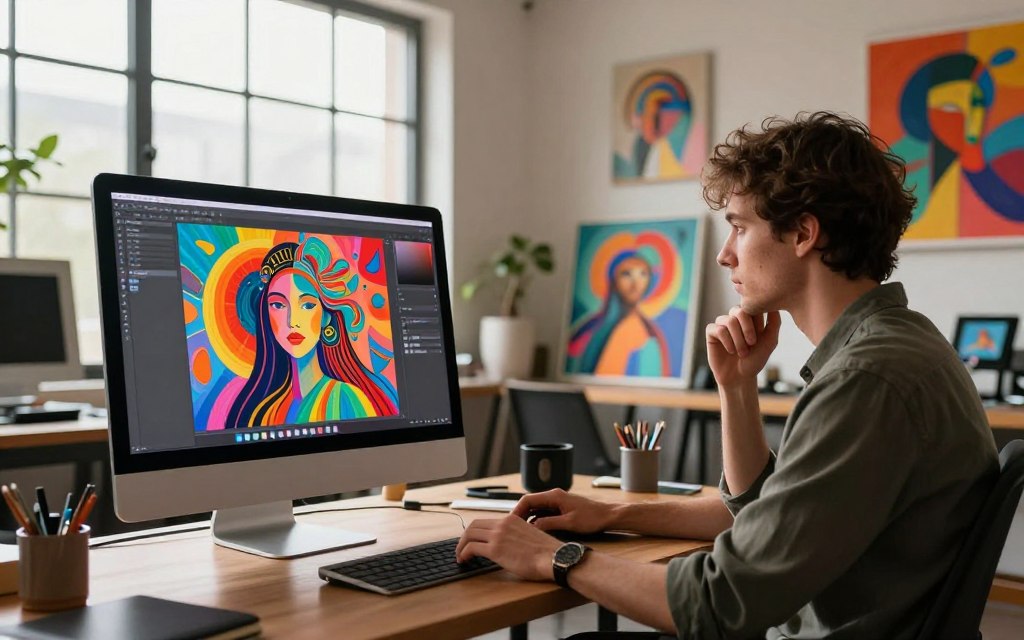
The community is a big plus. The public gallery is full of inspiration and examples. It’s great for both new and experienced users.
Pros and Cons
Pros:
- Unmatched aesthetic quality: Outputs are always polished and artistic.
- Superior photorealism: Makes faces, textures, and environments look real.
- Strong creative community: The gallery inspires and shares knowledge.
- Detailed parameter control: Allows for fine-tuning style and model behaviour.
Cons:
- Weaker prompt adherence: May focus on beauty over detail.
- Public images by default: Requires an expensive plan for privacy.
- No permanent free tier: Requires a paid subscription after trials.
- Steeper learning curve: Requires practice to master.
Ideal User Profile
Midjourney is perfect for digital artists, illustrators, and concept designers. It’s great for projects where visual impact matters more than exactness. It’s also ideal for those who love experimenting in a creative community.
It’s not the best for precise, documentational images or those needing strict privacy. For more on its features and pricing, check our detailed Midjourney review.
Stable Diffusion: The Power of Open Source
Stable Diffusion is different from other AI tools because it gives users full control over creating images. It was made by Stability AI and is open-source. This means anyone can use it to make high-quality images, unlike other AI services.
Overview
Stable Diffusion changes how we use AI art. Its code and weights are open to everyone. You can run it on your own computer, offline. For those who are not tech-savvy, there are online platforms like DreamStudio and NightCafe to help.
This openness is its biggest strength. It lets a global community of developers and artists work together. They create new models, tools, and interfaces. This makes it easy to customise and innovate.
Key Features and Strengths
Stable Diffusion’s main strength is the unparalleled level of control and customisation it offers. You don’t have to rely on a company’s servers or plans. The open-source approach has many benefits:
- Local Deployment: You can make images on your own computer, keeping your data private and saving money.
- Model Ecosystem: There’s a huge library of community-created models. These can do everything from making realistic portraits to anime.
- Deep Parameter Control: Advanced interfaces let experts fine-tune the generation process, getting exactly what they want.
- Training and Specialisation: You can train the model on your own data. This is great for businesses wanting unique images.
- Integrated Features: Many platforms around Stable Diffusion have tools for inpainting, outpainting, and transforming images.
Stable Diffusion can be used in many ways. Here’s a comparison of popular ways to access it:
| Platform/Interface | Primary Access Method | Ease of Use | Control Level | Typical Cost Model |
|---|---|---|---|---|
| DreamStudio (Official) | Web Interface | High | Medium | Credit-based |
| Automatic1111 WebUI | Local Installation | Medium | Very High | Free (Self-hosted) |
| Civitai | Model Hub & Community | Medium | High (via models) | Freemium |
| ComfyUI | Local Installation (Node-based) | Low (Technical) | Maximum | Free (Self-hosted) |
Pros and Cons
Stable Diffusion is great for those who want maximum control, customisation, and flexibility. But, it’s not for everyone.
Pros:
- Unbeatable Customisation: You can modify, train, and use community models as you like.
- Cost-Effective at Scale: Running it locally can be free after you buy the hardware, perfect for big projects.
- Commercial Freedom: You can use the images and models for business, thanks to the open-source licence.
- Privacy and Offline Operation: You have full control over your data when you run it on your own system.
- Vibrant Ecosystem: The community is always coming up with new tools and models.
Cons:
- Technical Barrier: Setting it up locally requires a lot of technical knowledge.
- Variable Output Quality: The quality of the images depends on the model and interface you choose. The base model might not be as good as some proprietary tools.
- Steeper Learning Curve: Getting consistent, high-quality results can take more effort and tweaking than other services.
- Fragmented Experience: With so many options, finding the right model and workflow can be hard for beginners.
Ideal User Profile
Stable Diffusion is not for casual users who want easy, instant results. It’s for technical enthusiasts or professionals who see AI as a tool to be customised. This includes:
- Developers and Researchers: Those who need to integrate AI image generation into custom applications or conduct experiments.
- Technically Adept Artists: Creatives who want to dive deep into the generation process and tailor the AI to their vision.
- Businesses with Specific Needs: Companies that need a model trained on their own data or want to generate branded images at scale.
- Privacy-Conscious Users: Individuals or organisations that value data security and need to operate offline.
In short, if you want maximum control, customisation, and flexibility, the Stable Diffusion open source ecosystem is the best choice.
Adobe Firefly: The Creative Suite Ally
Imagine an AI image generator right in your Photoshop or Illustrator. That’s Adobe Firefly. It’s not just a tool but a helper built to make your work easier.
Overview
Adobe Firefly is a special AI for pros. It’s trained on Adobe Stock and public domain images. This makes it safe for business use.
It works best in Adobe’s Creative Cloud. This Adobe Firefly integration lets you use AI where you need it most.
Key Features and Strengths
Firefly works smoothly in Adobe apps. In Photoshop, it lets you change images with text prompts. In Illustrator, it turns text into vector graphics.
It also has tools for AI graphic design. For example, Text Effects and Colour Variations. Plus, Content Credentials show where AI images come from, which is great for work.
Firefly might not be as creative as others. But it’s great at making real-looking images. This is perfect for marketing and editorial work.
Pros and Cons
- Pros:
- Seamless workflow integration: Works well with Photoshop and Illustrator.
- Designed for safe commercial use: Uses licensed content to avoid legal issues.
- Built-in transparency: Content Credentials show where images come from.
- Strong photorealism: Makes believable, high-quality images.
- Cons:
- Can be less imaginative: Might not be as creative as other tools.
- Inconsistent prompt adherence: Struggles with complex requests.
- Poor text generation: Not good at making readable text in images.
- Credit-based system: Limited by metered usage.
Ideal User Profile
Adobe Firefly is for those already using Creative Cloud. It’s perfect for professional graphic designers, marketing teams, and agencies.
It’s great for businesses needing safe, commercial images. Firefly is best for projects where AI is just one part of the design process.
Other Notable Contenders
The market for AI image generation is full of alternatives. These tools are great for specific needs, like text rendering or open-source control. They are very useful for commercial AI image use.
ChatGPT with GPT-4o is a big change. OpenAI’s new model can make images right in the chat. It does a great job of matching what you ask for, but it might take longer than other platforms. It’s perfect for those already using ChatGPT.
Ideogram is known for making text in images clear and easy to read. It’s great for logos, posters, or ads. It has a free version, so you can try it out without spending money.
FLUX is from Black Forest Labs and is made by former Stability AI members. It offers top-notch images and lets you control the process. It’s a top choice for those who want to customise and be part of a community.
Google’s ImageFX is part of Gemini and is known for its editing skills and understanding prompts. It adds a watermark to images. It’s easy to use for quick edits and images within the Google suite.
Head-to-Head Comparison: Features, Pricing, and Output
When we compare tools side by side, their true value shines. This table shows the main features of top AI image generators. It helps us see which one is best for different needs.
| Criteria / Tool | OpenAI DALL-E 3 | Midjourney | Stable Diffusion | Adobe Firefly |
|---|---|---|---|---|
| Output Quality & Fidelity | Exceptional prompt adherence, coherent text generation, strong narrative scenes. | Unmatched artistic style, dramatic lighting, highly aesthetic and painterly outputs. | High customisation for photorealism or specific styles via models; variable coherence. | Consistent, polished results ideal for design; strong on realistic textures and objects. |
| Ease of Use & Accessibility | Very high. Integrated into ChatGPT and Copilot with a simple chat interface. | Moderate. Requires Discord, uses command prompts and parameters for advanced control. | Low to high. Varies wildly by interface; from complex local installs to user-friendly web apps. | Very high. Seamless integration into Adobe Creative Cloud apps and a clean web interface. |
| Control & Customisation | Good via conversational refinement; less granular than parameter-based systems. | Excellent. Extensive parameters (–style, –chaos, –stylise) for fine-tuning aesthetics. | Maximum. Open-source nature allows model training, inpainting, and limitless fine-tuning. | Good within a design context. Strong via Text to Image, Generative Fill, and Adobe stock styles. |
| Speed & Typical Cost | Fast. Available via ChatGPT Plus ($20/month) or Microsoft Copilot (free tier). | Fast on paid tiers. Subscription plans start at $10/month for limited GPU time. | Variable. Free locally (hardware dependent) or via third-party services with tiered pricing. | Fast. Included in Creative Cloud subscriptions or available as a standalone web plan. |
| Licensing for Commercial Use | Generally commercial rights granted, but review OpenAI’s terms for specific use cases. | Paid members own assets they create, usable for most commercial purposes. | Most models have permissive open-source licences, but always verify the specific model’s terms. | Industry-leading. Offers indemnification for generated content, a major advantage for professionals. |
DALL-E 3 and Google’s ImageFX are top for prompt adherence and text generation. They’re great for projects needing exact briefs.
For artistic quality, Midjourney is unmatched. Its outputs are breathtaking, hard to match by others.
Stable Diffusion offers total control and customisation. It’s perfect for those who want to train models on specific styles, but it’s complex.
The choice often comes down to a trade-off between effortless, high-quality results and deep, granular control.
Pricing varies from free tiers to premium subscriptions. Midjourney and DALL-E 3 are mid-range. Stable Diffusion’s cost depends on resources or service fees.
Licensing and ethical safety are key for commercial use. Adobe Firefly stands out with its integrated approach and legal protection.
Practical and Ethical Considerations for Commercial Use
Deciding to use AI for commercial images is more than picking a model. You must check platform policies and think about the impact on society. It’s important to understand legal details and ethical issues.
Start by looking at the Terms of Service. Most platforms let you use images for business, but rules can vary. Some might not allow use in political campaigns. Make sure your plans fit the licence.
Privacy is a big worry. Sites like Midjourney share your images in a public gallery by default. This could show off your secret ideas or client work. Change settings to private for secret projects.
Content moderation systems also play a role. Tools like DALL-E 3 block certain prompts, like “Darth Vader”. These rules help avoid misuse but might limit your creativity.
The table below shows key commercial factors for top platforms.
| Platform | Commercial License Grant | Default Privacy | Content Filters | Primary Ethical Stance |
|---|---|---|---|---|
| DALL-E 3 | Full commercial rights for generated images. | Private by default. | Very strict; blocks many IP and violent prompts. | Safety-first, integrated approach. |
| Midjourney | Full commercial rights for paid members. | Public gallery by default. | Moderate; allows more stylistic freedom. | Artist-centric, community-driven. |
| Stable Diffusion | Depends on the model and interface used. | Varies by interface; often local/private. | Minimal; user has full control and responsibility. | Open access, user-defined boundaries. |
| Adobe Firefly | Full commercial rights, with indemnification. | Private within Creative Cloud. | Balanced; trained on licensed/adobe stock data. | Commercially safe, professional workflow. |
There are also big ethical considerations. The ability to make images look real raises worries about misinformation and deepfakes. It’s important to use these tools honestly, not to trick people.
The biggest debate is about copyright and training data. Laws are unsure if using copyrighted works to train AI breaks copyright. This makes some AI content’s future uncertain.
Ethical AI use in commerce isn’t just about following rules; it’s about building trust and understanding the new relationship between human and machine creativity.
This change also affects creative jobs. AI is a great tool, but it makes us think about the value of human creativity and the future of jobs. It’s good to be open about using AI in your work.
In summary, using AI for business needs careful planning. Read the fine print, set your privacy right, know the content rules, and be ethical. This groundwork protects your work and helps AI grow responsibly.
Choosing the Right Tool for Your Project
Finding the ‘best’ AI for image generation depends on your project’s needs. It’s about picking a tool that fits your creative goals and technical needs.
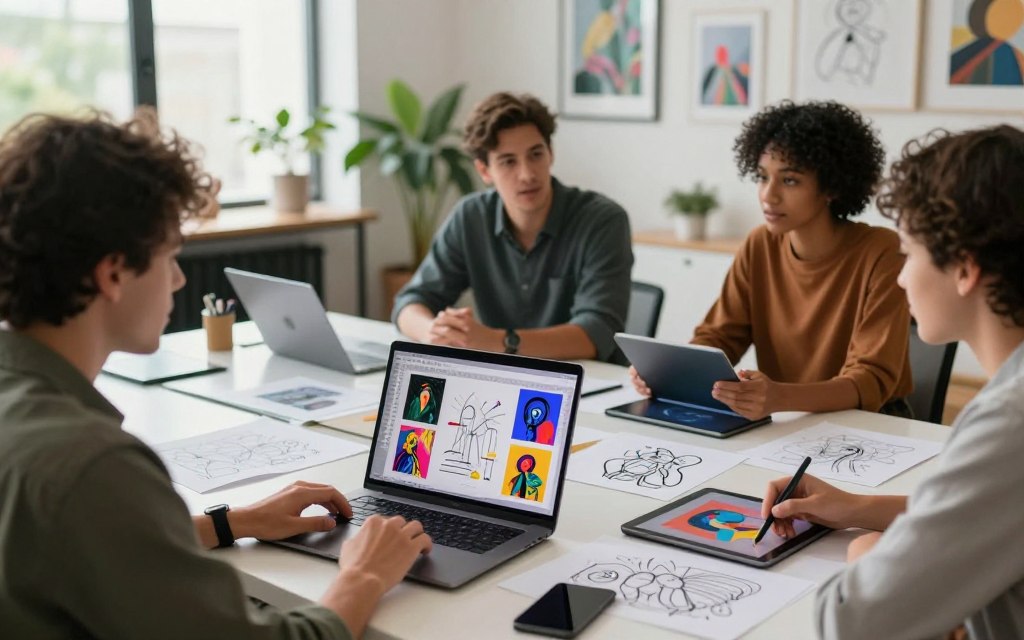
Imagine you’re a project manager. First, figure out what you need most. Do you want stunning visuals or precise control? Your answer will guide you.
Here’s a simple guide to help you choose. Think about what matters most to you in a tool.
- If your top priority is prompt fidelity and ease of use: Look for an AI that gets complex descriptions right the first time. DALL-E 3 (via ChatGPT or Bing) is great at this.
- If you need exceptional artistic quality and photorealism: For top-notch visuals, Midjourney is the go-to. It creates stunning images with a unique style.
- If you require deep control and customisation: If you love tweaking settings, Stable Diffusion or FLUX are perfect. They offer deep customisation options.
- If seamless integration into a professional design workflow is key: For smooth Adobe Creative Cloud integration, Adobe Firefly is ideal. It’s built for professionals.
- If generating images with accurate, legible text is non-negotiable: For designs with text, Ideogram is the best. It excels at text within images.
- If you need a robust, free-to-access option: On a tight budget? Microsoft Copilot (powered by DALL-E 3) has generous free tiers. Many tools offer free credits to get started.
The table below gives a quick summary to help you decide.
| User Profile | Primary Need | Recommended Tool(s) | Key Reason |
|---|---|---|---|
| Content Creator / Marketer | Fast, reliable images from simple text prompts | DALL-E 3, ChatGPT Plus | Superior prompt understanding and speed for ideation |
| Digital Artist / Illustrator | High aesthetic quality, unique style, photorealism | Midjourney | Unmatched artistic coherence and detail in outputs |
| Tech-Savvy Creator / Developer | Full control, custom models, local operation | Stable Diffusion, FLUX | Open-source architecture allows for deep technical customisation |
| Graphic Designer / Agency Professional | Ethical, workflow-integrated assets for client work | Adobe Firefly | Direct plugin for Creative Cloud and commercial safety |
| Social Media Manager / Meme Creator | Images with clear, embedded text | Ideogram | Specialised strength in rendering accurate typography |
Your choice today influences your interaction with the future of AI art. Pick a tool that fits your workflow to avoid frustration and unlock your creativity. Don’t hesitate to try out different tools. Many offer trial credits.
Begin with a clear project brief. Test the top two tools that match your needs. Compare their results, interfaces, and how they feel to use. The right tool should enhance your creativity, not hinder it. This approach ensures you’re not just following trends but adopting technology that advances your projects.
The Future of AI Image Generation
The future of AI image generation is exciting. It will bring better pictures and move into video, 3D spaces, and personal experiences. This technology is growing fast, changing our media from static to dynamic and multi-dimensional.
Improvements are already happening. Video generation and 3D model creation are key areas. Soon, making a short film or a simple 3D model from text will be easy. This requires AI to understand longer contexts, keeping consistency in frames and views.
Hyper-personalisation is another big trend. We’re heading towards personalised models tailored to individual styles or brand guidelines. This means artists can fine-tune models for their work, or companies can use generators that know their visual style.
The most profound technologies are those that disappear. They weave themselves into the fabric of everyday life until they are indistinguishable from it.
AI generation will become more common. It will be integrated into creative software, design tools, and office suites. Real-time generation capabilities will enable instant previews and design iterations, making it easier for everyone to use.
This progress is not just about technology. It’s also about societal, legal, and ethical discussions. Key areas include:
- Clearer copyright and ownership frameworks for AI-generated content.
- Robust systems for detecting AI-made media to combat misinformation.
- Ethical guidelines around bias, representation, and the use of personal data in training.
The table below outlines some of the key trends for the coming years:
| Future Trend | Potential Impact | Expected Timeline |
|---|---|---|
| Mainstream Video Generation | Revolutionises content creation for marketing, social media, and indie filmmaking. | Next 2-3 years |
| Accessible 3D Asset Creation | Lowers barrier for game development, AR/VR experiences, and product visualisation. | Ongoing, rapid advancement |
| Widespread Software Integration | Makes AI a standard tool within Photoshop, Canva, PowerPoint, etc., boosting everyday productivity. | 1-2 years |
| Evolving Legal Frameworks | Provides much-needed clarity on commercial usage, licensing, and intellectual property. | Ongoing, varies by region |
The future looks bright for AI image generation. It will be more integrated, creative, and complex. But, it’s important to use these tools responsibly. This depends on the development of ethical frameworks and public understanding.
Conclusion
Finding the best AI image generator isn’t about picking just one. There are many top choices, each good for different needs. What’s best for you depends on what you need in terms of quality, control, cost, and use.
OpenAI’s DALL-E 3 is great at understanding prompts and working smoothly with other tools. Midjourney is known for its detailed, artistic images that artists love. Stable Diffusion lets you customise a lot, thanks to its open-source setup. Adobe Firefly is safe for work, making it perfect for business projects.
There’s no single tool that fits everyone’s needs. The best choice depends on what matters most to you. Do you want something easy to use, stylish, with lots of control, or ethical?
The world of AI image making is growing fast. Choosing the right tool for your project is key. Also, be ready to try new things as these technologies get better.
FAQ
Which AI image generator is the best overall?
The best tool varies by need. DALL-E 3 is great for complex prompts and is easy to use. Midjourney stands out for its artistic beauty. Stable Diffusion gives control and privacy, while Adobe Firefly is safe and integrated with Adobe.
What is the most cost-effective AI image generator for a beginner?
DALL-E 3 is easy for beginners, with a flat fee for generations. Stable Diffusion is also cost-effective but requires more skill. Always check prices, as they change often.
Can I use AI-generated images for commercial purposes?
It depends on the platform. Adobe Firefly is safe for commercial use. DALL-E 3 allows commercial use but check OpenAI’s Terms. Midjourney and Stable Diffusion have different rules. Always check the current terms before using for business.
Which AI is best for generating photorealistic images?
Midjourney is known for photorealistic portraits and scenes. Stable Diffusion can also create stunning images with the right prompts. DALL-E 3 and Firefly can make photorealistic images but are more stylised.
What does “prompt adherence” mean and why is it important?
Prompt adherence means the AI follows your text exactly. It’s key for precise images. DALL-E 3 excels in this. Midjourney focuses on beauty and might change your prompt slightly.
Is my data and privacy safe when using these AI tools?
Privacy varies. Stable Diffusion keeps your data private. Adobe Firefly is secure and doesn’t use your prompts. DALL-E 3 and Midjourney use your data but Midjourney’s public gallery is a privacy concern. Always read the privacy policy.
Which tool offers the most control over the final image?
Stable Diffusion gives the most control. It has features like negative prompting and seed control. DALL-E 3 and Firefly offer some control but not as much as Stable Diffusion.
Why would a professional designer choose Adobe Firefly over other options?
Professionals choose Adobe Firefly for its seamless integration with Adobe tools. It allows for direct asset creation and editing. Its legal and ethical assurance is also valuable in professional work.

 By
By

 By
By