
Do you remember Google Deep Dream’s trippy patterns in 2015? The launch of DALL·E in 2021 felt like science fiction. Now, creating stunning visuals from a simple text description is an everyday reality.
This technology has evolved at a breathtaking pace. What was once a niche technical novelty is now a powerful, mainstream tool for professionals and hobbyists alike.
AI-generated visuals saturate our media, social feeds, and marketing materials. They have fundamentally changed how we conceive and produce digital art.
This guide cuts through the noise. We focus on practical utility, helping you unleash your creative or integrate AI visuals into your projects. Discover the top generative AI tools that offer powerful capabilities without an initial investment.
The AI Art Revolution: From Niche to Mainstream
The AI art community has grown a lot, changing how we make and think about pictures. Not long ago, AI made strange images. Now, it can create stunning pictures from just a few words.
At first, tools like Google’s DeepDream made weird, blurry pictures. But, as scientists improved the tech, things changed. They made images that looked real and detailed.
Today’s AI uses a method called diffusion. It starts with random noise and shapes it into a clear image. Another way, autoregression, adds pixels one by one, following patterns.
This big improvement made AI art useful for everyone. Artists, marketers, and hobbyists started using it. Online groups and social media filled with ideas and tips.
The field of artificial intelligence visual art grew fast because of competition. New versions got better at making realistic images. This made AI art go from being in labs to being used by everyone.
| Aspect | Early AI Art (c. 2015-2019) | Modern AI Art (c. 2020-2025) |
|---|---|---|
| Defining Models | DeepDream, Early Generative Adversarial Networks (GANs), DALL·E 1 | Stable Diffusion, DALL·E 3, Midjourney, Adobe Firefly |
| Output Quality | Low-resolution, abstract, often distorted. More novelty than tool. | High-resolution, coherent, stylistically diverse. Suitable for professional projects. |
| Primary Users | Researchers, tech enthusiasts, and digital artists experimenting with new mediums. | Graphic designers, content creators, educators, marketers, and the general public. |
| Community & Access | Small, specialised forums and academic conferences. Limited public access. | Massive, global AI art community on platforms like Discord and Reddit. Widespread free access. |
| Technical Driver | Basic neural network training on smaller, labelled datasets. | Advanced training on billions of image-text pairs using diffusion transformers and vast computational power. |
This shift from niche to mainstream is about making art easier to access. No longer does it take years of practice. Better algorithms, more data, and a growing community have made it possible. Now, AI art is part of professional tools, changing how we create.
Why Free AI Image Generation Platforms Are Booming
Free AI art generators are the result of a mix of corporate strategy, open-source innovation, and the quest for user data. The rise of text-to-image AI is driven by market competition, not just new tech.
Big tech companies like OpenAI, Google, Adobe, and Microsoft are racing to be the top. They offer powerful tools for free to achieve several goals.
Free tools attract millions of users. This is a huge win for companies as it gives them valuable data.
Every time someone uses the tool, it helps improve the AI. This feedback is key to making the AI better. So, free users help the tool get better.
Companies also want to make digital art more accessible. They see a shift towards more people creating digital art. By making tools free, they help a new generation of creators.
This leads to the freemium model. A free tier is a strategic entry point. It lets users get better and then upgrade to a paid service.
The open-source movement has also changed the game. Models like Stable Diffusion and FLUX are now public. This lets independent developers create their own platforms.
These platforms can offer free tiers because they don’t have to pay for the initial model costs. They compete on design, features, and community, making more free text-to-image AI options available.
Today’s free tiers are not just basic versions. They are full-featured tools. Companies use them to gain market share, gather data, and build user loyalty.
The main reasons for this strategy are:
- User Acquisition & Market Share: Attracting a huge audience by removing cost barriers.
- Model Training & Refinement: Using user feedback to improve AI systems.
- Democratisation of Tools: Making advanced creative tools available to everyone.
- Freemium Conversion Funnel: Building user trust to convert some to paying customers.
- Open-Source Empowerment: Allowing diverse platforms to offer free services using public models.
This mix of competition and collaboration means high-quality free text-to-image AI will keep being a key part of digital art. It lets people experiment, learn new skills, and ensures AI creativity is accessible to all.
How We Evaluated the Top Contenders
We aimed to cut through marketing hype and give you real insights. Our method is transparent, built on hands-on testing. This section explains how we ranked the top free platforms.
We used a controlled testing setup for a fair comparison. The key was using identical text prompts for each generator. For example, we used prompts like “a chef at a state fair” or “a dragon knight in a comic strip style”. This let us see how each engine handled the same request.
We looked at both technical output and user experience. We didn’t focus on one metric. Instead, we scored each platform in several areas. The table below shows the main criteria for our assessments.
| Evaluation Criteria | What We Analysed | Testing Method |
|---|---|---|
| Prompt Adherence & Detail Accuracy | How well the image matched the prompt, including objects, colours, and text. | Used complex prompts and checked for errors. |
| Image Quality & Style Rendering | The ability to create photorealistic AI and match artistic styles (like Larry Elmore, oil painting). | Generated images with style modifiers and assessed texture, lighting, and coherence. |
| Usability & Control Options | The ease of use for beginners and the depth of settings for advanced users. | Timed task completion and explored advanced menus. |
| Free Tier Practicality | The value of the free offer, including daily credits, generation speed, watermark policies, and commercial usage rights. | Tracked credit consumption, output resolution, and scrutinised terms of service. |
We tested the photorealistic AI generation skills of each platform. We looked at facial features, skin textures, and lighting in portraits. Generators with unnatural “AI artefacts” or distorted proportions scored lower. We aimed to find tools that could create believable images for concept work or mock-ups.
We also tested how well each platform could match requested artistic styles. We asked them to emulate classic comic book art to digital anime. Success was measured by capturing the style’s essence, not just applying a filter. This showed the AI’s training depth and creative flexibility.
Usability was a key factor, as these platforms are for everyone. We looked at how easy it was to generate an image and how clear the instructions were. Options like seed input and inpainting capabilities were extra points for users seeking detailed results.
Lastly, we checked the fine print of each free tier. A good credit allowance is important, but so is avoiding watermarks. We compared generation limits, wait times, and privacy policies to find genuine value without hidden catches.
This detailed approach ensures our recommendations are based on performance, not just popularity. The next sections will present the top platforms that excelled in these areas.
Key Features That Define a Great Free Platform
Choosing a free AI image generator means looking for key features. These features make a platform more than just free. They offer creative freedom and practical use.
Prompt adherence is key. It shows how well the image matches your description. Good platforms have tools for prompt engineering. They help you refine your requests.
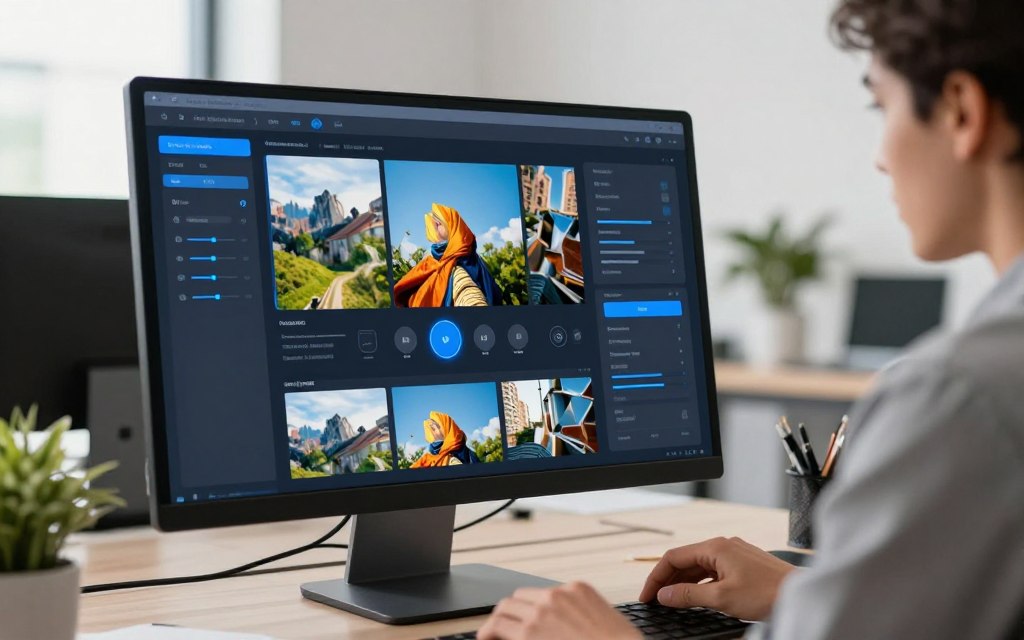
Editing is also important. Inpainting lets you change parts of an image. Outpainting lets you add to the image.
Image upscaling is a must. Free tools often have low-resolution images. A good upscaler makes images ready for prints or screens.
Batch generation is a time-saver. It lets you make many images from one prompt. This speeds up your work.
Style presets are great for beginners. They apply styles with one click. This helps you explore different looks.
Advanced controls are a big plus. You can set the aspect ratio and use a seed number. These features help you get the perfect image.
Think about your privacy. Some platforms share all images. Others keep them private. Choose based on your needs.
The best platforms are easy to use but also offer advanced features. This means they’re good for both beginners and experts.
The table below shows the main features and their benefits. It helps you decide what’s most important for your projects.
| Feature | Primary Function | Benefit to User | Skill Level |
|---|---|---|---|
| Prompt Adherence & Engineering Tools | Interprets and refines text descriptions accurately. | Higher accuracy and less frustration in achieving the desired visual. | All Levels |
| Inpainting/Outpainting | Edits or extends specific areas of a generated image. | Saves time; allows for precise corrections and creative expansions. | Intermediate to Advanced |
| Image Upscaling | Increases resolution and detail of low-res outputs. | Produces publication-ready quality from free-tier generations. | All Levels |
| Style Presets & Filters | Applies predefined artistic styles automatically. | Speeds up creation and helps explore aesthetic directions. | Beginner to Intermediate |
| Aspect Ratio & Seed Control | Governs dimensions and allows for image replication. | Ensures technical compatibility and enables iterative refinement. | Intermediate to Advanced |
A great free platform is more than just free. It gives you tools for image upscaling and prompt engineering. It also has flexible editing options. Look for these features to find your perfect creative partner.
Understanding the Limits of Free Tiers
Free tiers are great for starting with AI art. But, they are meant for sampling. Knowing their limits is key to using them well.
Free tiers have clear limits. You get a set number of credits or generations each day or week. For example, you might get 10 credits weekly or 25 images a month. Once you use them up, you have to wait or pay for more.
Performance is also limited. Free users often wait longer in queues than those who pay. This is like the rate limits on developer APIs, which manage server load.
Quality is another big issue. Free services might add watermarks to images or lock high-resolution downloads. You might only save images at web sizes, not good for print or detailed digital work.
A big, often missed, limit is commercial usage rights. Free-tier images often can’t be used for money-making projects. You can’t sell them, use in ads, or put them in products for sale without a commercial licence.
Privacy is also a concern. Some platforms make free images public by default. Always check privacy settings for sensitive work.
To sum up, here are common restrictions:
- Credit/Generation Caps: Strict limits on how many images you can create within a timeframe.
- Reduced Speed: Slower processing and queue waits.
- Output Markings: Visible watermarks or platform logos on images.
- Lower Resolution: Downloads restricted to sizes like 1024×1024 pixels or smaller.
- Restricted commercial usage rights: Images are for personal, non-commercial use only.
- Public Gallery Defaults: Your creations may be visible to other users.
Knowing these limits helps you make the right choice. Free tiers are fine for casual use with watermarks and limits. But, for commercial projects, look for platforms that allow it or plan to upgrade.
The Top Free AI Image Generation Platforms for 2025
In 2025, the world of free AI art tools is full of variety. Each platform has its own strengths for creators. We’ve picked the best ones based on access, quality, and features. This guide will help you find the right one for you.
DALL-E 3 (via Microsoft Bing Image Creator)
Overview
DALL-E 3 is free through Microsoft’s Bing Image Creator. It’s great at understanding what you want. It works well with the search engine, making it easy to use.
Pros
- Superior prompt comprehension that closely follows user intent.
- Images generated are private by default, ensuring confidentiality.
- Direct and free access via a major web service without a complex sign-up.
Cons
- Struggles with rendering accurate text within images, a known limitation.
- The free credit system can feel restrictive for prolific users.
- Outputs can sometimes lack the raw artistic flair of other platforms.
Features
The free tier on Bing Image Creator gives you a daily boost of credits. It has inpainting and outpainting for editing pictures. The interface is easy to use, perfect for beginners and casual creators.
Midjourney (Free Trial/Community Access)
Overview
Midjourney is known for its beautiful, painterly images. It’s mainly used through a Discord community and a web app. Its style is often described as more “artistic” than photorealistic.
Pros
- Unmatched stylistic beauty in colour, texture, and composition.
- A vibrant, inspiring community for sharing and discovering ideas.
- Advanced parameters for fine-tuning style, chaos, and stylisation levels.
Cons
- Free trial access is frequently paused due to overwhelming demand.
- By default, all images are public on the community gallery, raising privacy concerns.
- The Discord-based interface can be unintuitive for some users.
Features
Free trials offer a limited number of jobs. The platform excels at upscaling images to high resolutions. Its advanced commands allow for incredible control over the mood and artistic feel of each creation.
Stable Diffusion via DreamStudio
Overview
DreamStudio is the flagship interface for the open-source Stable Diffusion model. It appeals to users who want granular control over every aspect of the generation process. This platform is a gateway to the powerful world of open-source diffusion models.
Pros
- Unparalleled depth of customisation with settings for sampling steps, CFG scale, and seeds.
- Powerful inpainting and outpainting tools for precise editing.
- The open-source core allows for immense community innovation and model variants.
Cons
- Interfaces can be complicated and intimidating for absolute beginners.
- Outputs can occasionally exhibit AI artifacts or unnatural details.
- The free credit allowance on DreamStudio itself is relatively modest.
Features
DreamStudio’s free tier typically provides a starting amount of credits. Features include negative prompting to exclude unwanted elements. Users can adjust the model version and use advanced plugins for specific tasks.
Leonardo.Ai
Overview
Leonardo.Ai has quickly gained popularity with its generous free tier and high-quality outputs. It focuses on game development, character design, and asset creation. The platform balances professional-grade tools with an accessible interface.
Pros
- Extremely generous daily free tokens allow for substantial experimentation.
- High-quality, fine-tuned base models specialise in different styles.
- Excellent tools for maintaining character consistency across multiple images.
Cons
- The full suite of features, like model training, has a learning curve.
- Can be resource-intensive, potentially slowing down older devices.
- Its specialisation might be less appealing for those seeking general photorealism.
Features
Key features include an AI canvas for real-time editing and generation. The platform offers unique texture generation and 3D model rendering tools. Users can also fine-tune their own models on the platform, a rare feature in free tiers.
Craiyon
Overview
Originally known as DALL-E mini, Craiyon is the epitome of accessibility. It is a completely free web tool requiring no account, credits, or sign-in. This makes it perfect for instant, casual experimentation with AI image generation.
Pros
- Zero-barrier entry: just visit the website and start typing a prompt.
- Completely free with no hidden limits or subscription pressures.
- Ideal for beginners to learn the basics of prompt engineering.
Cons
- Output resolution and detail are lower than top-tier platforms.
- Less refined artistic quality and limited control over outputs.
- Generates multiple images per prompt, but each is relatively basic.
Features
Craiyon features a supremely simple, single-text-box interface. It generates nine image variations per prompt for quick comparison. The service is ad-supported, which is how it remains free for all users.
NightCafe Creator
Overview
NightCafe Creator operates as a aggregator or marketplace for multiple AI engines. It provides access to models like Stable Diffusion, DALL-E 2, and FLUX from one dashboard. This approach is ideal for users who want to compare different diffusion models side-by-side.
Pros
- Access to a variety of AI models with a single account.
- Strong community features, including daily challenges and a public feed.
- Daily free credits are provided, allowing for regular use.
Cons
- Choosing the right model for a task can add a layer of complexity.
- Credit system requires management across different generation costs.
- The social focus might not appeal to users seeking a private experience.
Features
The platform uses a credit system, with free credits earned daily via login. It includes advanced creation modes like neural style transfer. Community tools allow for sharing, remixing, and participating in themed competitions.
Playground AI
Overview
Playground AI positions itself as a user-friendly workhorse for high-volume creation. It offers a very high number of free image generations per day. The interface is clean and intuitive, lowering the barrier to entry for new users.
Pros
- Extremely generous free tier, often allowing hundreds of images daily.
- Simple, intuitive controls with helpful style and filter presets.
- Fast generation times facilitate rapid iteration and idea testing.
Cons
- Outputs may lack the specialised polish of platforms like Midjourney for specific art styles.
- Fewer advanced, granular controls compared to DreamStudio.
- The platform’s focus is breadth over deep specialisation.
Features
Features include in-browser editing tools for basic adjustments post-generation. A wide selection of pre-set filters can quickly alter image style and mood. The free model is Stable Diffusion based, ensuring solid foundational quality.
Adobe Firefly (Free Tier)
Overview
Adobe Firefly is built on a foundation of commercially safe training data, sourced from Adobe Stock and public domain content. It integrates deeply into Adobe’s creative ecosystem, including Photoshop. This platform is designed for creators who prioritise ethical usage and workflow integration.
Pros
- Commercially safer outputs due to its ethically sourced training data.
- Seamless integration with Adobe apps like Photoshop for generative fill.
- A trustworthy brand with a focus on professional creative tools.
Cons
- Can struggle with photorealistic results and accurate text generation.
- The free monthly credit allowance may be consumed quickly.
- Style variety can sometimes feel more constrained compared to open communities.
Features
The free tier provides a monthly allocation of generative credits. Key features include text effects, generative recolour, and a wide array of style presets. Firefly’s tools are built for direct incorporation into existing design workflows.
This selection showcases the vibrant ecosystem of free AI image generators in 2025. From specialised artistic tools to ethical commercial engines, there is a platform to match nearly every need and skill level. The evolution of diffusion models continues to power this creative revolution.
Comparing Output Styles: Which Platform Suits Your Needs?
Choosing the right free AI image generator is all about what kind of image you need. It’s not always about the most powerful tool. It’s about finding one that matches your project’s style.
Every tool has its own unique look. You need to find the one that fits your project, whether it’s a logo, social media graphic, or photorealistic image.
For rich, evocative artistic styles, Midjourney and NightCafe Creator are top picks. They create images with a painterly or illustrative feel. These are great for concept art, book covers, or fantasy landscapes where mood matters more than realism.
For perfect photorealistic AI images, DALL-E 3 (via Bing Image Creator) and Google’s Gemini are the best. They make convincing photos of people, products, and scenes. This is ideal for advertising mockups, architectural visualisations, or realistic portraits.
Other platforms meet specific needs. Ideogram is great for text in images. Stable Diffusion via DreamStudio or FLUX offers full control. Adobe Firefly is good for safe, editable assets. Craiyon and Playground AI are simple for quick ideas.
| Platform | Dominant Output Style | Best For Creating | Key Consideration |
|---|---|---|---|
| Midjourney | Artistic, painterly, textured | Concept art, illustrations, fine art pieces | Less focused on perfect photorealism. |
| DALL-E 3 / Gemini | Photorealistic AI imagery | Product photos, realistic scenes, mockups | May have stricter content filters. |
| Stable Diffusion | Highly customisable; all artistic styles | Custom models, specific artistic effects | Steeper learning curve for full control. |
| Adobe Firefly | Clean, editable, commercially safe | Marketing materials, design composites | Prioritises ethical sourcing and safety. |
| Craiyon / Playground AI | Broad, accessible, idea-generation | Quick sketches, brainstorms, social media graphics | Output quality can vary more than specialists. |
Let your project’s needs guide your choice. For professional projects, Firefly or photorealistic AI tools are key. For personal art, Midjourney’s bold artistic styles can inspire. By knowing these strengths, you can find the perfect platform for your vision.
Crafting Effective Prompts for Best Results
Think of prompt engineering as a special way to tell the AI what you want. How well you write these instructions can make a big difference. It’s not about coding, but about clear, creative writing.
A good prompt is like a detailed guide for an artist. It should list the main parts of your scene. If you miss something, the AI might guess wrong, which isn’t what you want.
There are several important parts to a great prompt. Learning about each part can help you control the AI’s output better.
| Prompt Component | Description | Example Phrase | Effect on Output |
|---|---|---|---|
| Subject & Action | The main focus and what it’s doing. | “A grey wolf howling” | It sets the main theme and action. |
| Detailed Descriptors | Specific details like colour, texture, number. | “on a snowy mountain peak, at dusk” | It adds context, mood, and clarity. |
| Artistic Style & Medium | The visual style or technique. | “digital painting, fantasy art style” | It defines the look and technique. |
| Technical Specifications | Camera, lighting, and composition details. | “dramatic sidelighting, 85mm lens, shallow depth of field” | It controls the photo or film look. |
| Platform Parameters | Commands for the model’s aspect ratio, etc. | “–ar 16:9 –style raw” | It fine-tunes the output for the platform. |
Being specific is key. Instead of “a dog in a field,” say “a lone Border Collie sitting attentively in a sunlit meadow of wildflowers, late afternoon.” This adds details like breed, action, lighting, time, and flora. Numbers and colours are also powerful for the AI. Say “three red balloons” or “emerald green velvet” for better results.
Lighting and medium instructions change the feel a lot. Use terms like cinematic lighting, soft studio light, or neon glow. For medium, choose whether you want a photorealistic portrait, an oil on canvas painting, a 3D render, or a linocut print.
Each platform has its own way to control advanced features. These are called parameters or modifiers. Remembering them is key for professional prompt engineering.
- Midjourney: Uses double dashes for commands like
--ar 16:9for aspect ratio or--style rawfor less opinionated rendering. - Stable Diffusion (DreamStudio): Often uses weights in parentheses to emphasise elements, e.g.,
(red hair:1.2). - DALL-E 3: Responds best to natural, descriptive language but benefits from direct instructions like “wide-angle panorama” or “macro photography.”
Be careful with specific artist names. Some platforms might block them to avoid copyright issues. It’s safer to mention broader styles like Art Nouveau or Surrealism, or specific techniques like impasto brushstrokes.
Remember, refining your prompts is essential. Your first try is just the beginning. Look at the image, see what’s missing or off, and tweak your prompt. This cycle of creating, reviewing, and refining is where you improve your prompt engineering skills.
The best AI artists are not those with the most powerful tool, but those who have learned to speak its language most fluently.
Start simple and add details one at a time. Watch how the AI responds. This methodical approach will help you become more skilled at directing the AI’s creativity.
Navigating Copyright and Ethical Usage
Creating images with AI is easy, but figuring out who owns them is hard. The world of copyright and ethics is changing fast. Lawsuits, platform rules, and public talks are all playing a part. Your choices as a user are key to this new world of creativity.
The main issue is the training data. Most AI models learn from billions of images found online, often without permission. This has led to legal battles and a big question: does AI break copyright laws by learning from protected works? The answer is not clear, leaving users in a tricky spot.
Another risk is making content that breaks intellectual property rules. Asking an AI to make a “photo of Mickey Mouse” or a “poster like a famous artist” can lead to legal trouble. Even though platforms try to block obvious requests, they’re not always successful. Ethical AI usage means being careful here—using it for fun is okay, but selling or sharing it is risky.
Being open is important. When you share AI-generated work online or to clients, it’s good to say so. A tag like “#AIart” or a note in the description is a good start. It sets the right expectations, credits the tool, and helps build a fair creative community.
Platforms handle these issues differently, which affects your risk. Knowing their rules is key before using a service for big projects.
| Platform | Training Data Approach | Content Filters & Commercial Rights |
|---|---|---|
| Adobe Firefly | Trained on Adobe Stock, public domain content, and licensed works. Marketed as “commercially safe”. | Strong filters on trademarks/styles. Users granted broad commercial rights for generated outputs. |
| DALL-E 3 (via Bing) | Trained on licensed and publicly available data. OpenAI states it respects opt-out requests. | Robust filters against harmful/trademarked content. Users own creations but must comply with content policy. |
| Midjourney | Dataset composition not fully transparent; subject of artist criticism. | Filters exist but are more permissive on styles. Paid subscribers own assets they create, with some limitations. |
| Stable Diffusion (e.g., DreamStudio) | Open-source model trained on LAION dataset, containing copyrighted works. | Minimal built-in filtering. User has full responsibility for outputs and their legal compliance. |
For work you plan to sell, Adobe Firefly is a safe choice. With open tools, you must be extra careful to avoid copyright or trademark issues. Always check a platform’s Terms of Service to understand your rights to your creations.
Getting through this requires being proactive. Keep up with legal news, follow platform rules, and be cautious when unsure. Embracing ethical AI usage is not just about avoiding trouble—it’s about creating a fair future for digital art.
The Future of Free AI Image Generation
The future of free AI art platforms will see big changes. Technology will improve fast, and business models will get smarter. Soon, making art with AI will be as easy as using photo editing software today.
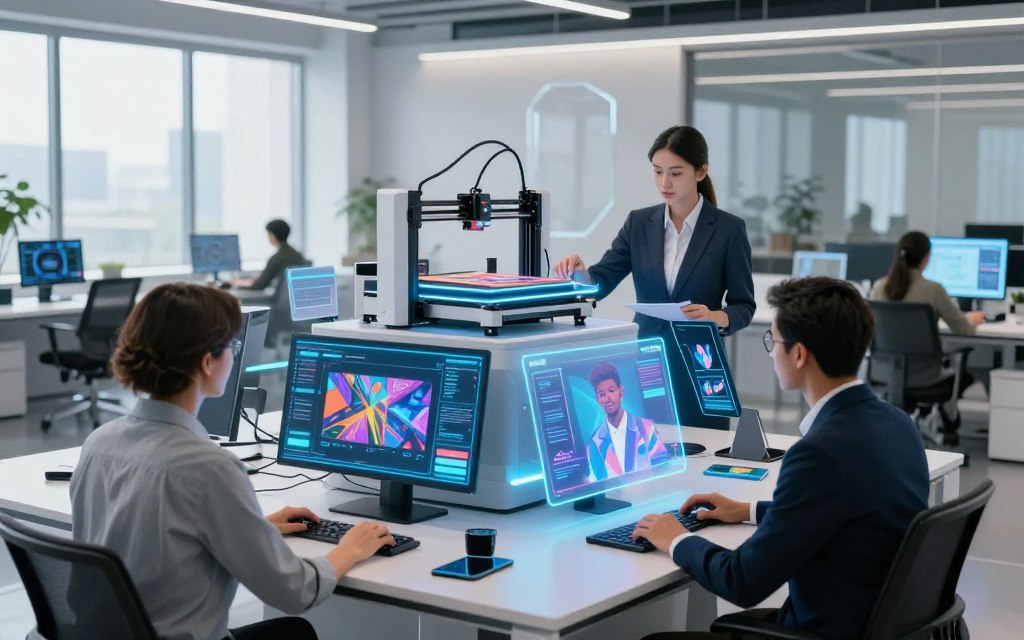
Expect better quality and control from generative AI tools soon. They will follow prompts more accurately, making less room for error. This means less chance of weird hands or strange backgrounds.
Editing will become easier and more natural. In-painting and out-painting tools will let you tweak small details easily. This makes AI more like digital clay, easy to shape and change.
AI is moving beyond just images. We’re seeing the start of video generation too. Free versions might soon let you animate pictures or make short videos from text. This could mean one tool for all your media needs.
But, this growth raises questions about how to keep things free. Business models will change to stay viable. Free tiers might have limits, like slower speeds or watermarks, but the core AI will stay free.
Premium upgrades will cater to businesses. They’ll offer more for those who need it, like faster speeds and special features. This way, everyone can use AI, from hobbyists to pros.
For artists, this means better tools for free. They’ll focus more on creativity, not fighting tech issues. As these tools get better, they’ll open up high-quality art to more people, inspiring a new wave of creators.
Conclusion
The year 2025 brings us powerful tools for free ai image generation. Now, creating professional and artistic visuals is easier than ever.
Your ideal choice depends on your needs. Do you want artistic flair like Midjourney, safe commercial use from Adobe Firefly, or detailed customisation with Stable Diffusion?
Each platform’s free tier is a doorway to explore. You can try out different styles and techniques without spending a penny.
Think about what’s important for your projects. Consider the visual style, daily limits, privacy, and your use case. This will help you find the best free tool.
Creating unique images is now within reach. We invite you to explore these platforms, create your prompts, and begin your free ai image generation journey today.
FAQ
Which free AI image generator is best for a complete beginner?
Craiyon is great for beginners because it’s easy to use and doesn’t need an account. For better quality, Playground AI or DALL-E 3 via Bing Image Creator are good choices. They have simple interfaces and are perfect for those who want to make high-quality images quickly.
Can I use images from a free tier for commercial projects?
Using free images for business can be tricky. Adobe Firefly lets you use free images for business, which is a big plus. But, others like Stable Diffusion might have stricter rules. Always check the Terms of Service to see if you need to pay for commercial use.
What is ‘inpainting’ and why is it an important feature?
Inpainting lets you edit parts of an image without starting over. You can change a subject’s clothes or add new things. DALL-E 3, Stable Diffusion, and Leonardo.Ai have great inpainting tools, even for free. This means you can fine-tune your work without starting from scratch.
How can I get better, more accurate results from my text prompts?
Getting better at prompt engineering is key. Be clear and detailed in your prompts. Instead of “a dog,” say “a photorealistic portrait of a golden retriever, sitting in a sunlit meadow, shallow depth of field, 85mm lens.” Look at galleries on Midjourney or NightCafe for inspiration. Many tools also offer prompt suggestions to help you.
What are the main limitations I’ll face on a free plan?
Free plans have limits. You might get a limited number of generations per day or week. Slower processing times and outputs at standard resolution only are common. Some platforms might also add a watermark to free images.
Which platform is best for creating a consistent character or style across multiple images?
Leonardo.Ai is great for keeping a consistent look in your work. It has special tools for this. Stable Diffusion also allows advanced users to create a specific style, but it’s more complex. Most platforms need very precise prompts to get consistency.
Are there any ethical concerns I should be aware of when using these tools?
Yes, using these tools ethically is important. Some models use copyrighted images without permission. Always disclose the use of AI when sharing your work. Avoid making images in the style of living artists without their consent. Never create images of real people for deceitful purposes. Adobe Firefly is trained on licensed and public domain content, which helps avoid some of these issues.
What does the future hold for free AI image generation?
The future looks bright for free AI image generation. We’ll see higher quality and more features. Free tiers might get more advanced, like video generation or 3D model creation. Platforms will compete to offer more, making current limits like unnatural hands or text flaws less common.

 By
By

 By
By