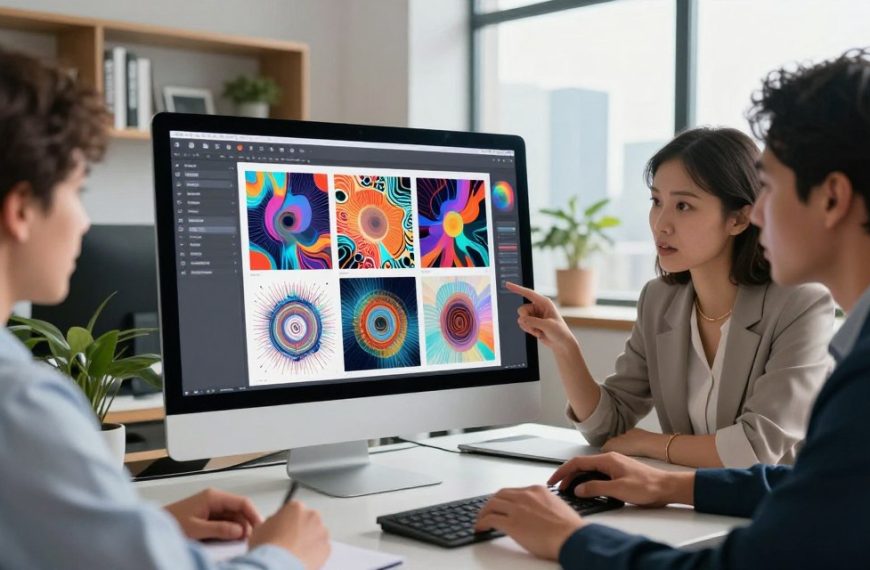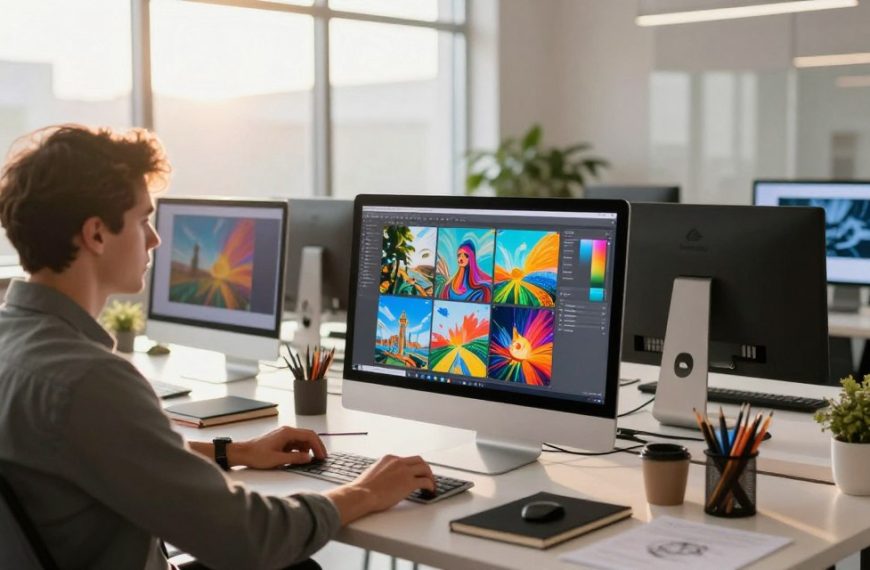

The digital world has changed a lot thanks to artificial intelligence. AI-generated imagery is now everywhere on social media and in creative fields. These advanced tools can turn simple text into beautiful pictures.
This magic happens through text-to-image synthesis. It’s easy: just type your idea, pick a style, and the AI does the rest. For example, QuillBot’s free art generator shows how accessible this technology is.
Our guide is here to help you start exploring. We only look at tools that don’t cost anything. This list will help you unlock your creativity and try new things without spending a penny.
The comparison becomes clearer when you review create a professional business photo using and the trade-offs between quality, control, and usability.
You’ll find a wide range of free tools and projects. These include easy-to-use web apps and community-driven projects. Each one offers a special way to dive into the world of generative artificial intelligence.
The Technology Behind AI Image Generation
At the heart of every stunning AI-generated artwork lies a complex interplay of algorithms and data. This technology transforms imaginative written descriptions into detailed visuals, a process that seems almost magical. To truly appreciate the free tools available, it helps to understand the fundamental mechanics powering them.
What is AI Image Generation?
AI image generation is a branch of artificial intelligence where machine learning models create original visuals from textual descriptions. These systems do not simply retrieve existing images. Instead, they synthesise completely new compositions based on patterns learned during training.
The core of this capability is the model’s training data. Developers feed these neural networks millions, sometimes billions, of image-text pairs. By analysing this vast dataset, the AI learns to associate words and phrases with visual concepts, styles, and compositions.
From Text to Image: How Diffusion Models Work
The most powerful and common technology today is the diffusion model. Imagine starting with a television screen full of static noise. The AI’s job is to gradually refine that random noise into a clear, coherent picture that matches your text prompt.
This process works in reverse during training. The model learns by observing how a clear image becomes progressively noisier. It memorises these patterns. When you give it a new prompt, it applies this knowledge in reverse, denoising random pixels step-by-step until a recognisable image forms.
Most modern free tools rely on this remarkable technique. As one source explains, “a ‘diffusion model’ starts with a field of digital noise and gradually refines it” into your requested scene. This method allows for incredible detail and variety in the final output.
A Brief History of Generative AI for Art
The journey to today’s accessible tools has been rapid. Early experiments like Google’s DeepDream in 2015 manipulated existing images to create psychedelic, pattern-heavy art. This highlighted neural networks’ ability to ‘see’ patterns.
Generative Adversarial Networks (GANs) followed, pitting two neural networks against each other to create increasingly realistic images. But the breakthrough for text-to-image came with the development and refinement of diffusion models around 2020-2021.
Models like DALL-E, Stable Diffusion, and Midjourney then brought this technology to the mainstream. Their public release, often with free tiers, democratised a capability that was purely research-focused just years before. This explosive progress sets the stage for the powerful free tools we can use today.
The Value Proposition of Free AI Art Tools
Free AI image generation offers more than just saving money. It opens up a world of inclusive creativity. Now, anyone with an internet connection and an idea can create art.
This change is not just about technology. It’s also about culture. It changes who gets to make and share art. The main benefits are access, safety, and empowerment for all.
Lowering the Barrier to Entry for Digital Art
Before, digital art was expensive. You needed professional software and a powerful computer. This made it hard for beginners.
Free AI art tools change this. You don’t need to spend a lot on software or hardware. Your imagination is the main tool. As one platform says, “If you can write a sentence, you can create amazing art.”
This makes digital art more accessible. You don’t need to know how to draw or model. You can focus on ideas and words. This lets more people try digital art for the first time.
Experimentation and Learning Without Financial Risk
The free tier is a big deal for learning. It’s a safe place to try out different things. You can experiment without worrying about money.
This is great for learning about creative expression with AI. You can try different words and see how they change the art. It’s a hands-on way to learn.
It’s worth taking a few hours to play around with one of these text-to-image AI apps—even just so you can appreciate them from a technical perspective.
Some key benefits of this phase include:
- Unlimited Iteration: You can make many versions of an idea to find the best one.
- Style Exploration: You can quickly try out different styles, from realistic to abstract.
- Low-Stakes Practice: You can build your skills and confidence before spending money.
Democratising Creative Expression
The biggest impact is making art more accessible to everyone. These tools let people from all over create. They give a voice to those who didn’t have one before.
This leads to a more diverse and rich culture. New stories and views can be shared. Art becomes a way for everyone to communicate.
In short, free AI art tools are more than just tools. They open up a creative world to everyone. They show that everyone has a unique voice in art. The real value is in this expansion of creativity.
Essential Criteria for Choosing a Free AI Image Generator
Choosing a free AI art platform is not simple. You need to look at a few key points. This guide will help you compare tools well. It ensures you pick one that fits your creative needs and skill level.
Output Resolution and Quality
The output resolution of your image is very important. A low-resolution image might look good online but not for prints or detailed digital art.
Free tiers usually give images at 1024×1024 pixels. For professional work, check if you can pay for higher resolutions. Always check the image quality at full size.
Range of Artistic Styles and Customisation Options
A tool’s range of styles shows its versatility. Can it make a photorealistic portrait, a watercolour landscape, and a cyberpunk cityscape well? The variety of styles affects your creativity.
Customisation options are also key. Look for controls over composition, lighting, and artistic influences. Advanced settings let you tweak an image to fit your exact vision, beyond basic text prompts.
User Interface and Ease of Use
The user interface should be easy to use, not scary. A clean dashboard helps beginners start making art fast. As one reviewer said, the best tools are simple yet powerful.
“I also considered how easy each AI image creator is to use, what kinds of controls and customisation options it provides… and most important of all: how good were the results?”
For experts, the interface should show advanced settings for detailed control. The best platform adapts to your skill level.
Generation Speed and Free Tier Limits
Free access has limits. The most common is a daily or monthly free credits limit. Each image uses credits, so know your limit before starting big projects.
Generation speed matters too. Some tools work fast, while others make you wait. If speed is key, choose tools known for quick service, even on free tiers.
| Criterion | Why It Matters | Key Question to Ask |
|---|---|---|
| Output Resolution | Determines suitability for web or print use; affects professional quality. | Is the image size sufficient for my project’s final output? |
| Styles & Customisation | Defines creative range and control over the final artwork’s look and feel. | Can I guide the AI to produce the specific artistic style I envision? |
| User Interface | Impacts the learning curve and overall enjoyment of the creative process. | Does the tool feel intuitive and logical to navigate as a beginner? |
| Speed & Limits | Governs how much you can create and how quickly within the free plan. | How many images can I generate per day, and how fast are the results? |
AI Image Generation Free: A Curated List of Tools
Today, free AI image generators are easier to find than ever. This guide helps you understand the market. It shows you the different types of platforms out there. Knowing this helps you pick the right tool for your projects.
An Overview of the Current Market Landscape
The free AI image generation market is very competitive and always changing. Big tech companies, new startups, and open-source projects all compete for users. This means there’s a tool for almost every need, from quick social media images to detailed digital art.
It’s key to know the difference between special tools and all-purpose creators. Some tools, like those that make AI portraits from your photos, are fun but not what we’re looking for. We focus on tools that can make many types of images from text.
Some names stand out in this field. Stable Diffusion is well-known for a reason. It’s open source, leading to a big community of free tools and innovations. At the same time, big labs and companies offer polished, easy-to-use options.
Types of Free Platforms: Web-Based, Community-Driven, and Freemium
Free access is offered in different ways, each with its own benefits and downsides. Most platforms fall into three main categories.
Web-Based AI Tools are the simplest. You just visit a website to start. They have a basic text box and a button to generate images. This makes starting with AI art as easy as visiting a website.
Community-Driven Platforms often use open source models. You might find them on Discord or through a shared online space. These platforms are great for those who like to experiment and be part of a creative group.
The freemium model is also common. It offers a free version to get you started, with options to pay for more. This lets you try a lot without spending money, and then upgrade if you need more.
| Access Model | Key Features | Ideal For | Examples |
|---|---|---|---|
| Web-Based | No installation; instant access; often simple interfaces. | Beginners and quick, casual creation. | Bing Image Creator, Craiyon. |
| Community-Driven | Centred on open source models; collaborative; highly customisable. | Hobbyists and tech-savvy users exploring advanced options. | Stable Diffusion web UIs (e.g., AUTOMATIC1111). |
| Freemium | Free credits or generations per day; paid plans for more. | Regular users who need a balance of free access and reliable service. | Leonardo.Ai, Playground AI, NightCafe Creator. |
This overview of web-based, community-driven, and freemium platforms helps you choose. Knowing what you value—convenience, community, or a scalable free plan—makes picking easier.
Comprehensive Reviews of Free AI Image Platforms
This section gives detailed reviews of top free AI image generation services. It’s important to know the strengths and weaknesses of each to pick the best for your projects.
DALL-E 2 by OpenAI
Overview
DALL-E 2, made by OpenAI, is a top choice for its clear images and detailed scenes. It made text-to-image generation popular for everyone.
Pros
- Superior prompt understanding and logical scene composition.
- High-quality, photorealistic outputs with fine details.
- Intuitive inpainting and outpainting tools for editing generated images.
Cons
- The free credit system is limited, pushing users towards a paid subscription.
- Outputs can sometimes lack the extreme artistic flair of other platforms.
- Strict content policy filters may block some creative prompts.
Key Features
DALL-E 2 stands out with its editing suite. It lets users change specific parts of an image with new prompts. Its variations feature makes quick multiple versions of a concept.
Midjourney
Overview
Midjourney works mainly through a Discord bot. It’s known for its beautiful, surreal art. It’s a favourite for digital artists looking for a unique style.
Pros
- Unmatched artistic and stylistic quality, often described as the most creative generator.
- Strong community aspect with shared galleries for inspiration.
- Excellent at generating cohesive atmospheres and moods.
Cons
- No traditional web interface; requires using Discord commands.
- The free trial offers a very limited number of generations.
- Can struggle with precise photorealistic rendering and accurate text within images.
Key Features
Midjourney’s strength is its advanced style parameters. It gives users detailed control over the art. Its algorithm focuses on beauty and composition over literal meaning.
Stable Diffusion (via Web Interfaces like DreamStudio)
Overview
Stable Diffusion is open-source and powers many services. DreamStudio makes it easy to use, known for its flexibility and customisation.
Pros
- Extensive editing and control options, including image-to-image generation.
- Completely private generation if run locally on your own hardware.
- A vast ecosystem of community-created models and styles.
Cons
- The base model can require more technical prompt engineering for optimal results.
- Free web tiers often have slow generation speeds and queues.
- Output quality varies significantly depending on the chosen interface and model.
Key Features
Stable Diffusion’s key feature is its open nature. Users can adjust many parameters for precise control. It also has robust inpainting and outpainting tools.
Bing Image Creator (Powered by DALL-E)
Overview
Bing Image Creator uses DALL-E technology in its search engine. It’s easy to use and fast, making it great for many users.
Pros
- Completely free to use with a generous daily boost allowance.
- Extremely simple and fast, integrated into a familiar search interface.
- Produces reliable, high-quality images suitable for general use.
Cons
- Less customisation and advanced control compared to standalone platforms.
- Images include a small watermark in the corner.
- Prompt adherence can be slightly less nuanced than using DALL-E 2 directly.
Key Features
Its key feature is seamless integration and ease of access. The “Boosts” system provides faster generation. It’s perfect for beginners exploring best AI image generators.
Craiyon (Formerly DALL-E Mini)
Overview
Craiyon is a web-based, free service that’s easy to use. It’s great for quick, fun image generations without needing to log in.
Pros
- 100% free with no account or credit limits.
- Extremely simple and straightforward interface.
- Good for rapid idea sketching and humorous image generation.
Cons
- Output resolution and detail are lower than most competitors.
- Limited understanding of complex prompts.
- Generations can be inconsistent and contain visual artefacts.
Key Features
Craiyon’s defining feature is its no-frills, barrier-free access. It generates nine image variants at once, perfect for quick brainstorming.
Leonardo.Ai
Overview
Leonardo.Ai focuses on game assets and concept art. It has models fine-tuned for genres like fantasy and cyberpunk.
Pros
- Specialised models for game development and digital art projects.
- Powerful in-platform image editing and upscaling tools.
- Generous free daily tokens with a clear usage dashboard.
Cons
- The interface, while powerful, has a steeper learning curve.
- Less optimal for generating standard photographs or generic scenes.
- Some advanced features are gated behind a paid subscription.
Key Features
A key feature is its model training capability. Users can train custom AI models on their own images. This is great for consistent character or style generation.
Playground AI
Overview
Playground AI is a web platform with free access to models like Stable Diffusion. It’s great for creative experimentation with many filters and settings.
Pros
- Free tier allows up to 500 image generations per day.
- Access to multiple different AI models in one place.
- Extensive style filters and prompt guidance tools.
Cons
- Images generated on the free plan are public by default.
- Generation speed can slow down during peak times.
- The abundance of options might overwhelm absolute beginners.
Key Features
The platform shines with its creative playground approach. It offers real-time sliders for adjusting creativity, quality, and detail. Its batch generation feature is also very useful.
NightCafe Creator
Overview
NightCafe Creator is a community-focused platform. It offers many artistic algorithms and regular creative challenges. It uses a credit-based system with daily free credits.
Pros
- Access to several unique algorithms beyond standard diffusion (like VQGAN+CLIP).
- Vibrant community with daily challenges and a public gallery.
- Multiple upscaling and enhancement options for final outputs.
Cons
- The credit system can feel restrictive for prolific creators.
- Interface is feature-rich but can appear cluttered.
- Some algorithms produce more abstract results than photorealistic ones.
Key Features
NightCafe’s standout feature is its algorithmic diversity. Users can choose from different “styles” which are separate AI models. Each yields unique artistic effects.
| Platform | Best For | Free Tier Limit | Unique Strength |
|---|---|---|---|
| DALL-E 2 | Realistic scenes & editing | Limited free credits | Advanced inpainting tools |
| Midjourney | Artistic & stylistic art | Brief free trial | Unmatched aesthetic quality |
| Stable Diffusion | Customisation & control | Varies by interface | Open-source flexibility |
| Bing Image Creator | Ease of use & accessibility | Daily boosts | Fully free, fast generation |
| Craiyon | Quick brainstorming | Unlimited (lower quality) | No login required |
| Leonardo.Ai | Game assets & concept art | Daily tokens | Fine-tuned genre models |
| Playground AI | Experimentation | 500 images/day | Multiple models in one place |
| NightCafe Creator | Community & art styles | Daily free credits | Diverse AI algorithms |
Comparative Analysis: Strengths and Weaknesses
No AI art tool is perfect for every task. Knowing their strengths and weaknesses helps you choose the right one for your project. This section compares them side by side, highlighting what each does well and what they struggle with.
Side-by-Side Comparison of Key Metrics
The table below shows key features of top free AI image generators. It covers free tier limits, image quality, standout features, and main drawbacks to consider.
| Tool | Free Tier Allowance | Max Output Resolution | Key Strength | Primary Limitation |
|---|---|---|---|---|
| DALL-E 2 | 15 credits monthly | 1024×1024 px | Exceptional prompt adherence & safety filters | Lowest free credit allowance |
| Midjourney | ~25 fast generations monthly | 1024×1024 px (upscaled) | Unmatched artistic & stylistic coherence | Requires Discord; complex for beginners |
| Stable Diffusion (Web UI) | Varies by platform (e.g., 50-100 images) | 512×512 px (often upscalable) | High customisation & open-source models | Output quality heavily depends on user skill |
| Bing Image Creator | ~100 boosts daily (slows after) | 1024×1024 px | Fully free, fast, and integrated with search | Less control over advanced parameters |
| Craiyon | Unlimited (with ads & queue) | 512×512 px | Truly unlimited free generations | Lower baseline image quality |
Best Tool for Specific Use Cases
The best tool varies based on your project’s needs. Here’s a guide to help you pick the right platform for your creative goals.
For detailed concept art and illustrations, Midjourney is top-notch. It creates coherent, stylish images with little effort. For more control, Leonardo.Ai offers great fine-tuning tools.
For quick social media graphics, Bing Image Creator and Playground AI are great. They’re fast, easy to use, and produce good images. Their free tiers are perfect for regular posts without costing you.
For photorealistic images or product mock-ups, DALL-E 2 is often the best. It understands lighting, textures, and real-world objects well.
For rapid ideation and experimentation, Craiyon and NightCafe Creator are perfect. They offer unlimited free models for endless prompt testing, encouraging creativity and trial.
In conclusion, this comparative analysis shows that your choice depends on what matters most to you. Define your needs first, and then choose the tool that best fits them.
Step-by-Step Guide to Creating Your First AI Image
Creating your first AI image involves three main steps. First, you craft a prompt. Then, you adjust parameters. Lastly, you export the image. This guide will help you through each step, turning your idea into a unique digital artwork. You don’t need drawing skills, just a clear idea and a willingness to try new things.
Crafting Effective Text Prompts: A Beginner’s Guide
The text prompt is your main tool for guiding the AI. Think of it as a brief for a digital artist. Clear and specific prompts lead to better results. Vague prompts like “a dog” result in generic images, while detailed prompts allow for precise control.
Be detailed. Mention colours, lighting, and subject details. Use style tags like “digital art” or “cinematic photography” to set the tone. This is called prompt engineering.
Most advanced platforms offer negative prompts. Here, you list elements you do not want in the image. This helps the AI avoid common artefacts and focus on your desired look. For more on how AI interprets your words, read our guide on how AI generates images.
Key elements for a strong prompt include:
- Subject: The main focus (e.g., “a cyberpunk samurai”).
- Style: The artistic medium (e.g., “stained glass window”).
- Details: Colours, textures, lighting, and composition.
- Negative Prompts: Elements to explicitly avoid.
Adjusting Advanced Parameters for Desired Outcomes
Once your prompt is ready, you can fine-tune the output with advanced settings. These parameters control the generation process.
The CFG Scale determines how closely the AI follows your prompt. A lower value allows more creativity, while a higher value ensures strict adherence. The Steps parameter sets the number of iterations. More steps mean more detail but take longer.
Samplers drive the denoising process in diffusion models. Different samplers (like Euler, DPM) can vary in speed and style. Experiment to find your preference.
The aspect ratio is critical for composition. It defines the image’s shape—portrait, landscape, or square. Choosing the right aspect ratio ensures your scene is framed correctly.
| Parameter | Typical Range | Effect on Output |
|---|---|---|
| CFG Scale | 7-12 | Higher values increase prompt adherence, lower values increase randomness. |
| Steps | 20-50 | More steps generally improve quality and detail but slow generation. |
| Aspect Ratio | 1:1, 16:9, 9:16 | Dictates the width and height of the final image frame. |
Saving, Upscaling, and Exporting Your Artwork
After generation, you’ll see multiple variations. Save your favourites or download them. Upscaling AI images is where the real magic happens.
Upscaling uses AI to increase your image’s resolution without losing quality. This is key for printing or high-definition projects. Many free tools have built-in upscalers (2x, 4x) accessible with a click.
Exporting your artwork in the right format is essential. Different formats balance quality, file size, and support for features like transparency.
| Format | Best For | Key Considerations |
|---|---|---|
| JPEG | Web use, social media | Small file size, universal support, but uses lossy compression. |
| PNG | Images requiring transparency, further editing | Lossless quality, supports transparency, larger file size. |
| WEBP | Modern web optimisation | Excellent compression with good quality, growing support. |
Navigating the Ethical Landscape of AI Art
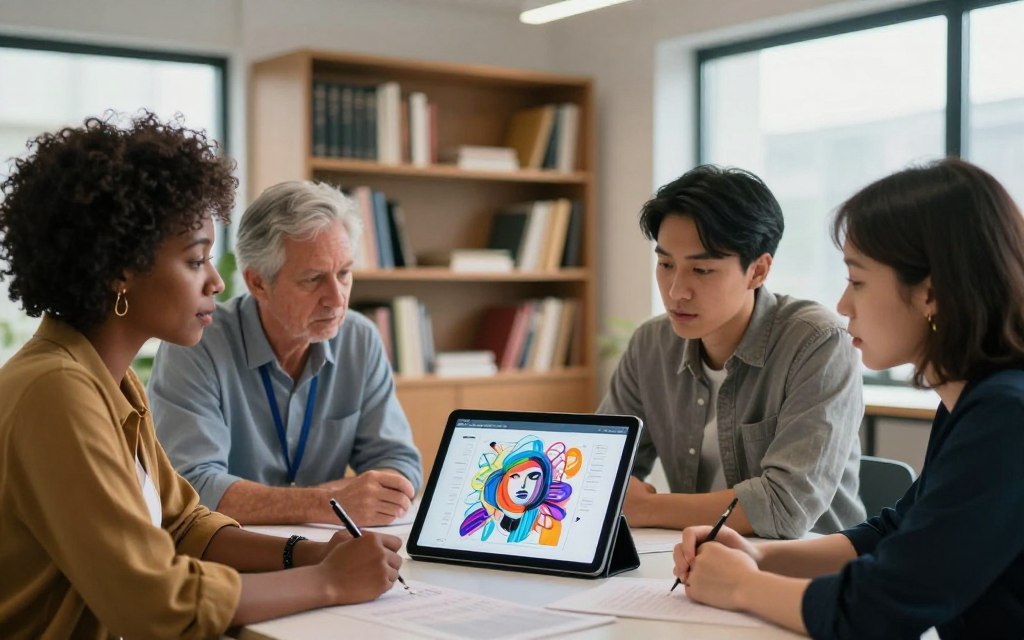
The rise of free AI art tools brings both creative possibilities and ethical dilemmas. A responsible creator must understand legal frameworks and moral debates. This section explores the practical rules and profound controversies you need to consider.
Understanding Usage Caps, Watermarks, and Licensing
Free access always comes with conditions. Most platforms have daily or monthly generation limits on their free tiers. These usage caps control server costs. Once exceeded, you must wait or upgrade.
Watermarks are another common feature. They are often subtle logos or textures placed on images from free plans. Their purpose is to advertise the tool and discourage commercial usage without a paid licence.
Licensing terms are key. “Free for personal use” is a standard clause. This typically covers sharing on social media or using the art for private projects. But, using the image to promote a business, sell products, or include in client work usually requires a commercial licence. Always check the specific terms of service.
The table below summarises key conditions for popular free platforms:
| Platform | Free Tier Usage Caps | Watermarks on Free Images? | Commercial Licensing for Free Tier |
|---|---|---|---|
| DALL-E 2 (OpenAI) | Limited credits per month | No | Yes, with some restrictions |
| Midjourney | Limited fast GPU time per month | No | Yes, if you meet revenue thresholds |
| Stable Diffusion (DreamStudio) | Limited credits on sign-up | No | Yes, but check model specifics |
| Bing Image Creator | Boosts per day, then slower | Yes | For personal use only |
| Craiyon | Unlimited, but slower queue | Yes | No |
Addressing Copyright and Originality Concerns
This is the core legal grey area. Who owns an AI-generated image? The user who wrote the prompt? The company that built the model? The answer is evolving and varies by jurisdiction.
A more heated issue is how the AI models are trained. Most are trained on vast datasets scraped from the public internet, containing millions of copyrighted images. Creators and artists have voiced serious concerns about this practice.
“Creators, artists and copyright owners have voiced serious concerns about how AI models are trained, sometimes on their copyright-protected work without permission, compensation, or attribution.”
This has led to lawsuits alleging copyright infringement at the training data stage. The argument is that the AI learns from, and can potentially replicate, the style of specific artists. This challenges traditional notions of originality and authorship.
Can AI art be truly original? Some view it as a sophisticated form of collage or inspiration. Others see it as derivative by its very nature. This philosophical debate has no easy answer.
The Debate on Artist Compensation and Data Sourcing
The controversy extends to economics. Many artists feel their life’s work has been used without consent to create a tool that could undermine their livelihoods. The fear is that clients may opt for cheap, AI-generated art instead of commissioning human artists.
On the other side, developers argue that training on public data is fair use, a transformative process akin to how human artists study others’ work. They see AI as a new medium that expands, not replaces, human creativity.
Initiatives are emerging to address these concerns. Some companies, like Adobe with its Firefly model, are choosing a different path. They train exclusively on licensed content from their stock library and public domain works. As one source notes, this makes “Adobe Firefly… outputs are commercially safe” from a licensing standpoint.
This approach aims to provide ethical training data and clear commercial rights. It represents one possible future for the industry. As a user, being aware of these debates allows you to make more informed choices about which tools to use and how to use them responsibly.
Navigating AI art ethics is not about finding simple answers. It is about understanding the complexities. By respecting licensing, acknowledging the debates on copyright infringement, and supporting ethical practices, you can participate in this creative revolution thoughtfully.
Future Trends in Accessible AI Image Generation
Two main trends are emerging in accessible AI image generation: better free tools and deeper software integration. The current state is just the start. As we aim to make art creation more accessible, tools will get more powerful and easy to use.
Predictions for Improved Free Tiers and Capabilities
Competition is driving change. To keep users, companies will make their free options much better. Expect to see higher quality images and more credits for free users.
Features like advanced inpainting will soon be available for free. This model evolution is not just about being kind. It’s about showing off a platform’s technology to more people.
AI is getting better and faster. New models will make high-quality images quicker and use less power. This means better free tiers and capabilities without high costs. The difference between paid and free will shrink a lot.
The Integration of AI Art into Mainstream Creative Suites
AI image generation will soon be part of everyday software. It won’t be a separate app anymore. Instead, it will be a tool in the software creatives use daily.
Adobe Firefly is already integrated into Photoshop and Illustrator. Canva, Microsoft Designer, and others are following. This makes AI a natural part of the workflow.
For everyone, this means creating logos in presentations. For pros, it means making complex textures with just a text prompt. The gap between idea and reality is getting smaller.
This deep integration into creative suites is the ultimate accessibility. It puts AI art tools where people already create. The future trends show a world where AI-assisted creation is common and easy.
Conclusion
The world of digital art is changing fast, thanks to free AI image generators. Tools like DALL-E 2, Midjourney, and Stable Diffusion let us turn text into pictures. This guide has shown how to pick the right tool, write great prompts, and think about ethics.
Getting good at these tools means knowing their strengths and what you want to create. The best choice depends on the quality of pictures, style options, and what you can do for free. Learning to write better prompts gives you more control over your art.
AI-generated art is everywhere, and it’s going to keep growing. This means more creative possibilities for everyone. It makes art more accessible, letting people try new things without worrying about money.
The future of AI art looks bright, with tools getting better and more connected. But we need to think carefully about how to use this technology. We must talk about copyright, where data comes from, and how it affects artists.
Exploring AI art is an ongoing adventure. We invite you to try out these tools, share your ideas, and join the conversation about AI’s role in our culture.

 By
By